The ask: a case management system to replace email and spreadsheets.
The agency managed 1,200-1,400 employee grievances and disciplinary appeals a year across multiple state departments, all of it running through email threads and spreadsheets. Their process: employee emails a form → intake specialist downloads attachment → manually types every field into a tracking spreadsheet. Scheduling a single settlement conference meant checking availability for settlement officers, union reps, management, and conference rooms across chains of emails and phone calls.
Staff spent days on overhead instead of moving cases forward. Backlogs grew. Employees waited longer for resolution. The agency had been living with this for years and had finally secured budget to fix it. My role: Scrum Master. Get it built right, get it built on time, and make sure the people who had to use it every day actually wanted to.
The interviews didn't just surface requirements. They changed them.
Training was where the feedback changed our approach most. Our early assumptions about how to onboard staff were wrong. The interviews told us which roles needed hands-on practice, which needed reference guides, and what "ready to use this independently" actually looked like for each team. We built the training around that, not around a generic rollout plan.
Before any configuration, we conducted structured interviews with intake specialists, schedulers, settlement officers, and supervisors, each role, separately. The goal wasn't to produce a requirements document. It was to understand how work actually moved, where it stalled, and what "fixed" would feel like to the person doing the job at 2pm on a Tuesday.
Those conversations shaped the scope directly too. Some things the agency thought they needed turned out to matter less than expected. Other things, particularly around how cases got routed and how staff communicated with parties, were bigger pain points than anyone had named upfront. The interviews let us cut what wasn't necessary and go deeper where it actually mattered.
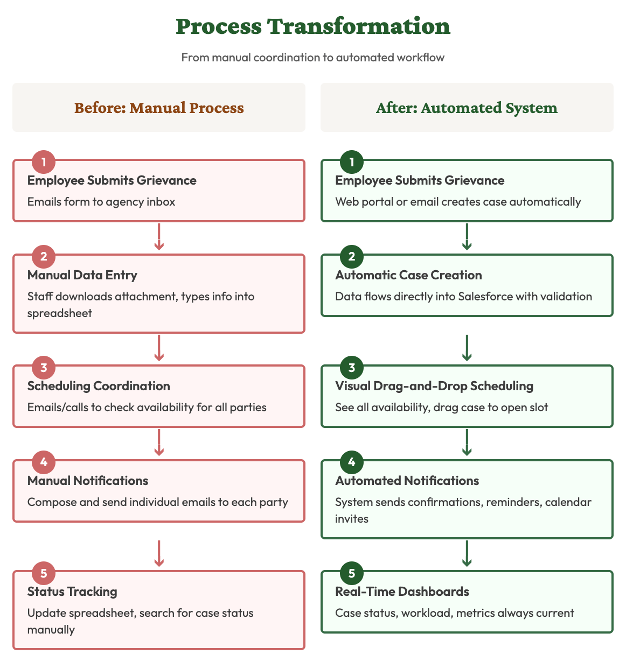
The before/after: five manual steps replaced by five automated ones
What we built
Built on Salesforce Government Cloud. Chose it because the agency would own a system on a widely-supported platform instead of depending on us to run a proprietary one.
Operated on two-week development cycles with continuous demonstrations of working functionality. Validated design decisions early. Adjusted based on user feedback.
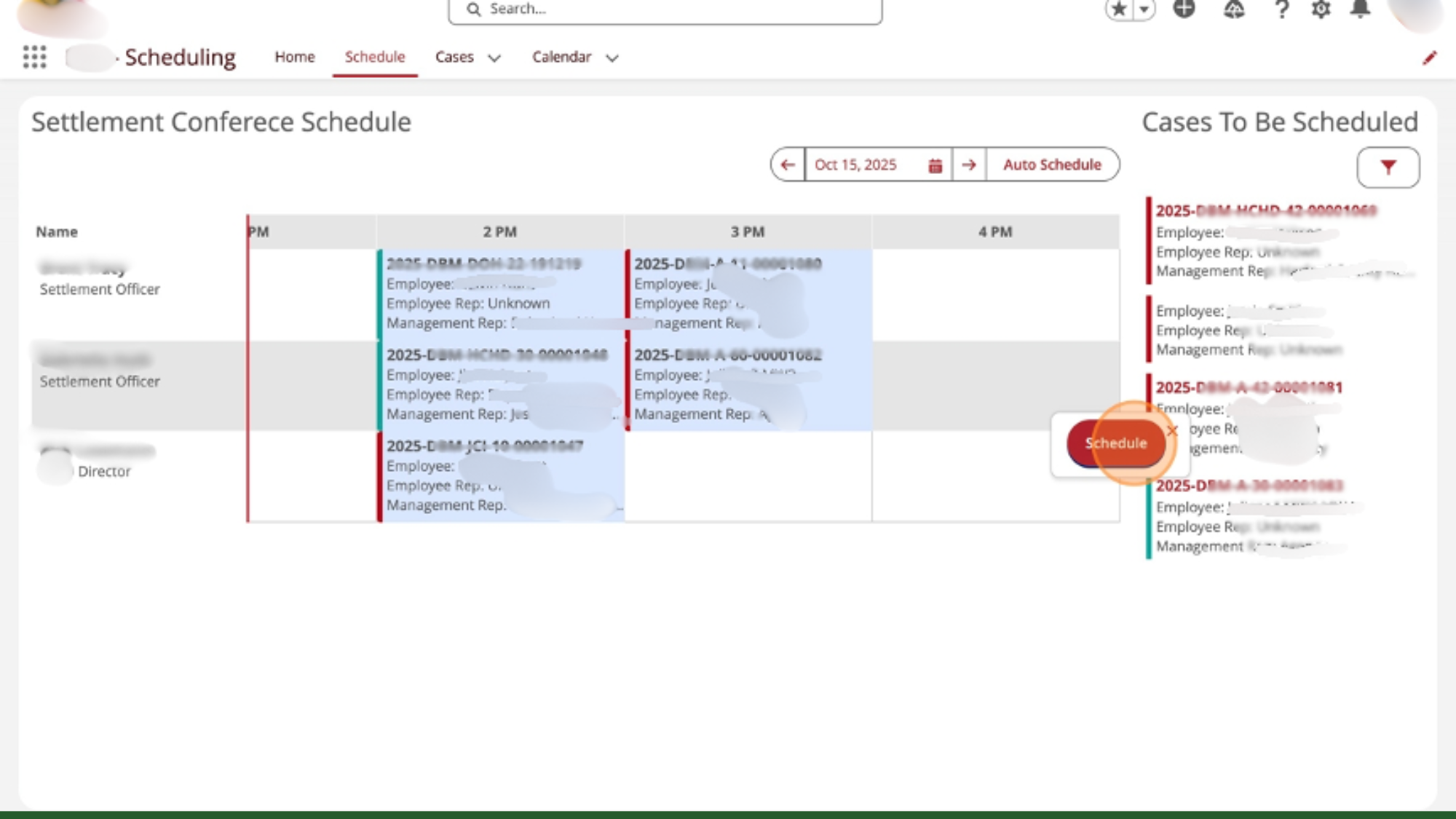
The scheduling interface: pending cases in the sidebar, drag to an available slot. Coordination that used to take hours now takes minutes.
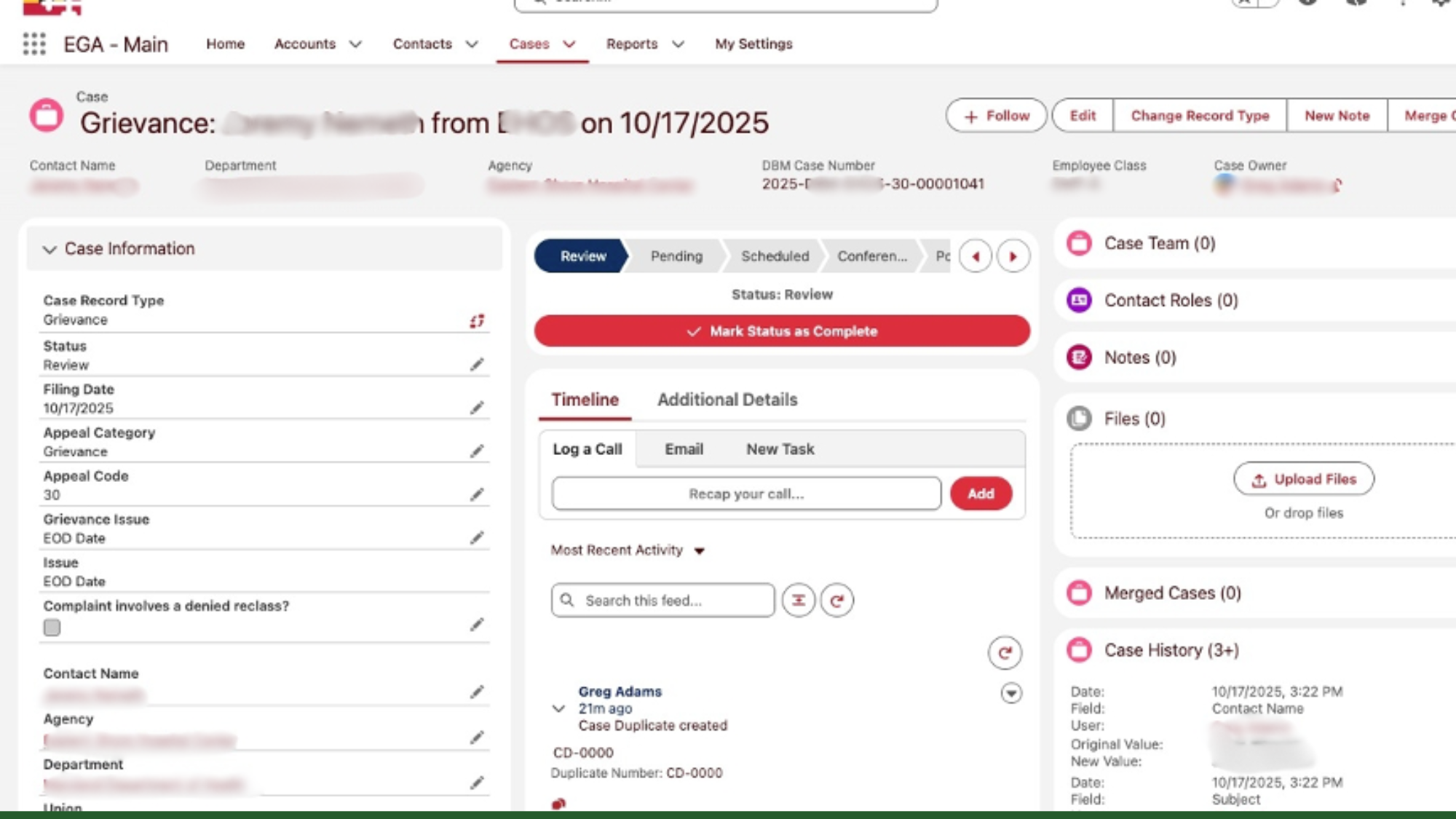
The case record: every detail, status, and history in one place. No more spreadsheet hunting.
Settlement officers called the system user-friendly. Intake staff described it as something they loved working in. Staff who had operated on a legacy system for years were enthusiastic about handling conferences, closing cases, and managing escalations through the new platform.
The coordination bottleneck that capped daily conferences is gone. The hours intake specialists spent re-typing data now go to actual case review. Report compilation used to be manual; now it's a dashboard click.
We built in complete documentation and training from day one so the agency wouldn't need us to run it: role-based user guides, administrator training, and full technical documentation. Any Salesforce partner can pick up future development.